



Experience how to create health certificates on the Traid-platform? We have created a step-by-step guide explaining how to create a health certificate on our digital platform in no time.
Discover how to create health certificates in just 4 simple steps:
Before the creation of a health certificate:
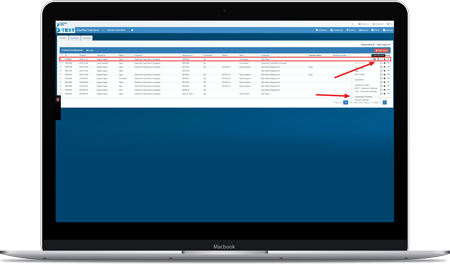
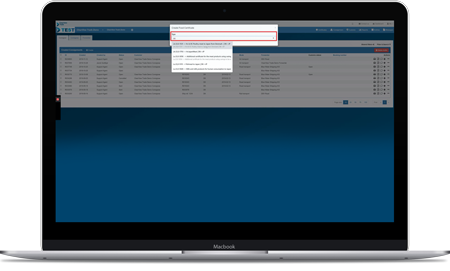
When you need to order a health certificate, you will already have created the shipment and booked the transport with the carrier on the Traid-platform. Here you can see the overview of all your shipments.
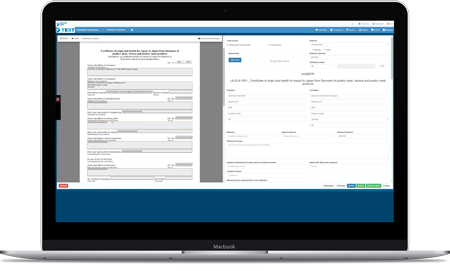
Here you will see the provisional health certificate, pre-filled with the information you have entered for the selected consignment. If you wish to edit the information before saving, please do so as follows:
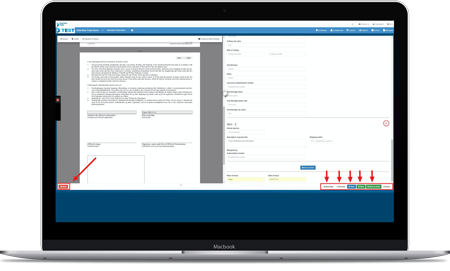
When all information is correct, you have the following 6 options before clicking “Send“:
Do you need more information about health certificates? We have a lot of information on our website that can make you a true expert on the subject. The links below will take you to our certificate page, dictionary and FAQ. Click on the three links and learn more about health certificates:
If you feel like this guide was comprehensive, you are more than welcome to begin creating health certificates on the platform. You are also welcomed to book a free demo if you want further clarification on the health certificate-module.
The demo is an energetic guided online tour, and it takes about 30 minutes. Look forward to working on a platform that digitizes and automates your daily workflows.

Knowledge
Get tips straight in your inbox
Get inspired and find out how you can streamline your export processes and logistics
Reach out – we’re ready to help:
Phone: +45 53 50 35 90 | info@clearviewtrade.com
Platform
Get tips straight in your inbox
Get inspired and find out how you can streamline your export processes and logistics
Reach out – we’re ready to help:
Phone: +45 53 50 35 90 | info@clearviewtrade.com